Advanced uses
In this page we will explore three specialised uses of ChatGPT:
- Image generation
- Explorative data analysis
- Custom GPTs
 Image generation
The icon for this website was generated by ChatGPT with a simple prompt, where I injected the colors used by QIB logo. See the example page.
 Explorative data analysis
ChatGPT can analyse data for you. This means that will generate the code to analyse it and show results.
You can even paste data point in the prompt, like:
This csv table shows the number of active users in my platform in a certain month:

2023-12-01,25
2023-11-01,27
2023-10-01,33
2023-09-01,33
2023-08-01,30
2023-07-01,35
2023-06-01,42
2023-05-01,46
2023-04-01,29
2023-03-01,38
2023-02-01,33
2023-01-01,34
2024-12-01,22
2024-11-01,34
2024-10-01,38
2024-09-01,32
2024-08-01,24
2024-07-01,32
2024-06-01,32
2024-05-01,37
2024-04-01,34
2024-03-01,29
2024-02-01,30
2024-01-01,41
2025-07-01,35
2025-06-01,34
2025-05-01,30
2025-04-01,24
2025-03-01,32
2025-02-01,30
2025-01-01,32

Please create interesting visualizations
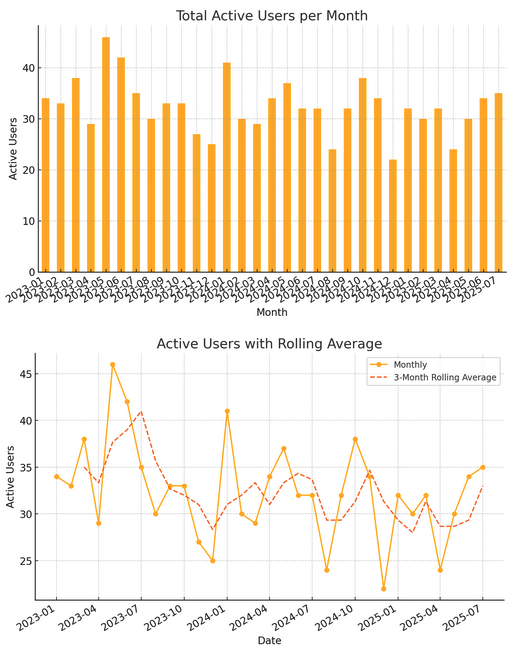
The answer produced this plots:
 Custom GPTs
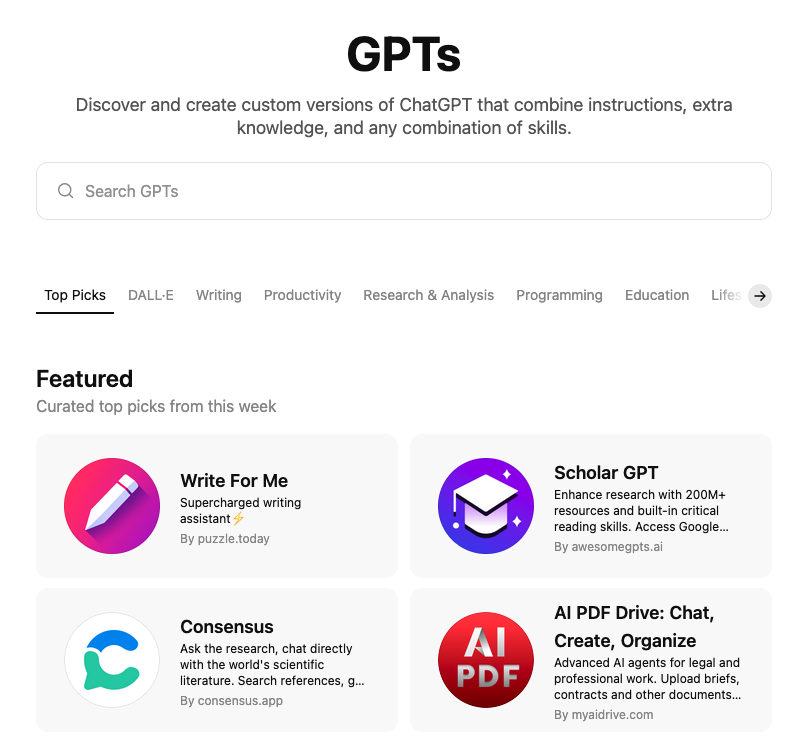
ChatGPT allows you to create your custom GPT.
You can create your own from  this link, or you can explore
custom GPTs shared by others.
this link, or you can explore
custom GPTs shared by others.
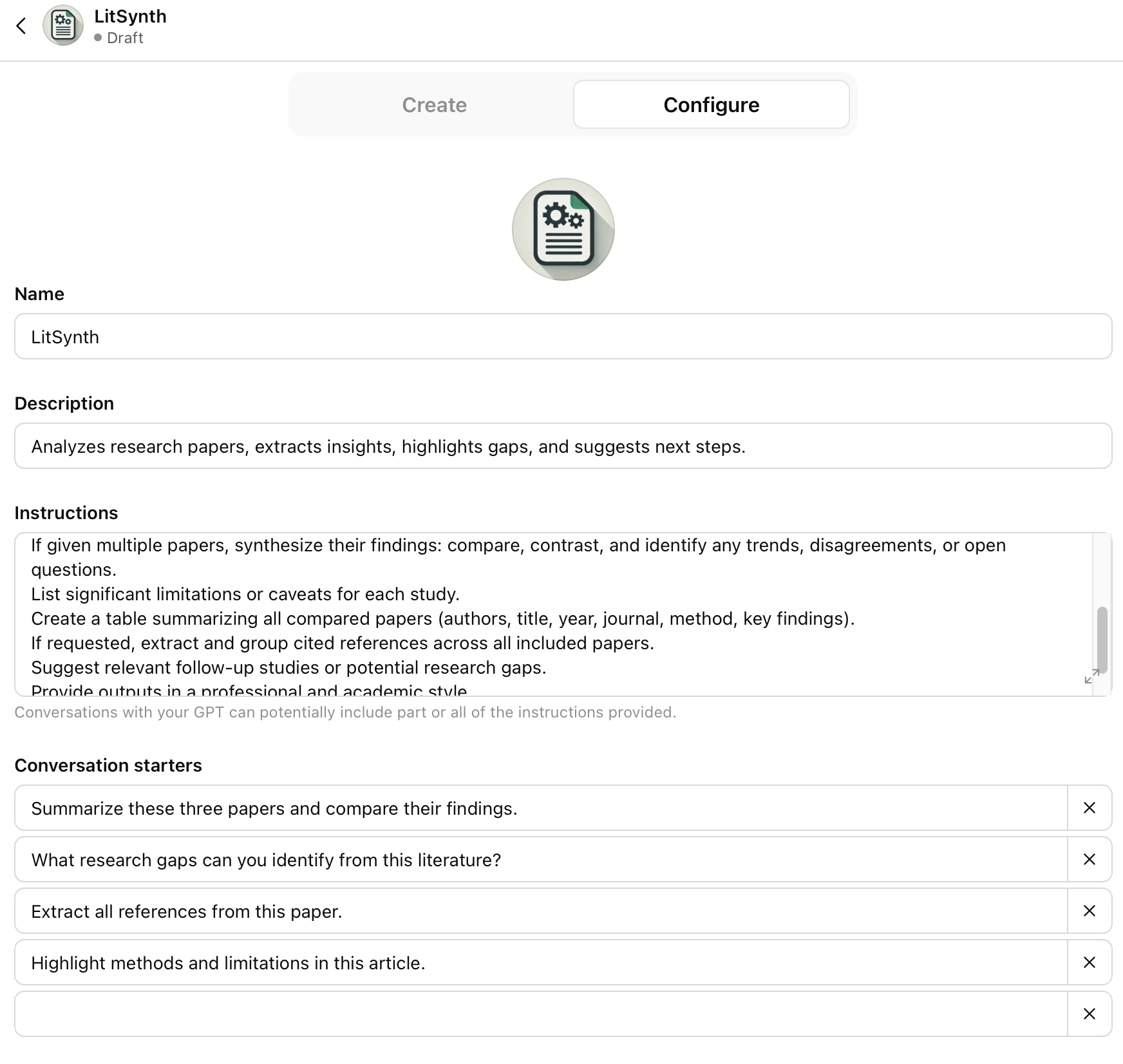
You can create your own, either chatting with (tab Create) it or with a simple interface (tab Configure):
Previous submodule:
Prompt Engineering
Next submodule:
Claude